
Give your clients a simple, modern way to check in when they arrive. tatDesk includes a dedicated digital check-in app designed to work with any iPad, turning your existing tablet into a convenient front-desk check-in station. Your receptionist gets a real-time overview with easy-to-read summary cards highlighting clients who still need to provide identification or complete consent forms, along with tools to manage walk-ins. With one click on a scheduled client or walk-in, the consent form opens directly within the app, making it easy to review and complete paperwork without switching between platforms. Everything stays organized in one place, helping your front desk run smoothly and keeping your team focused on the day ahead. No specialized hardware required.
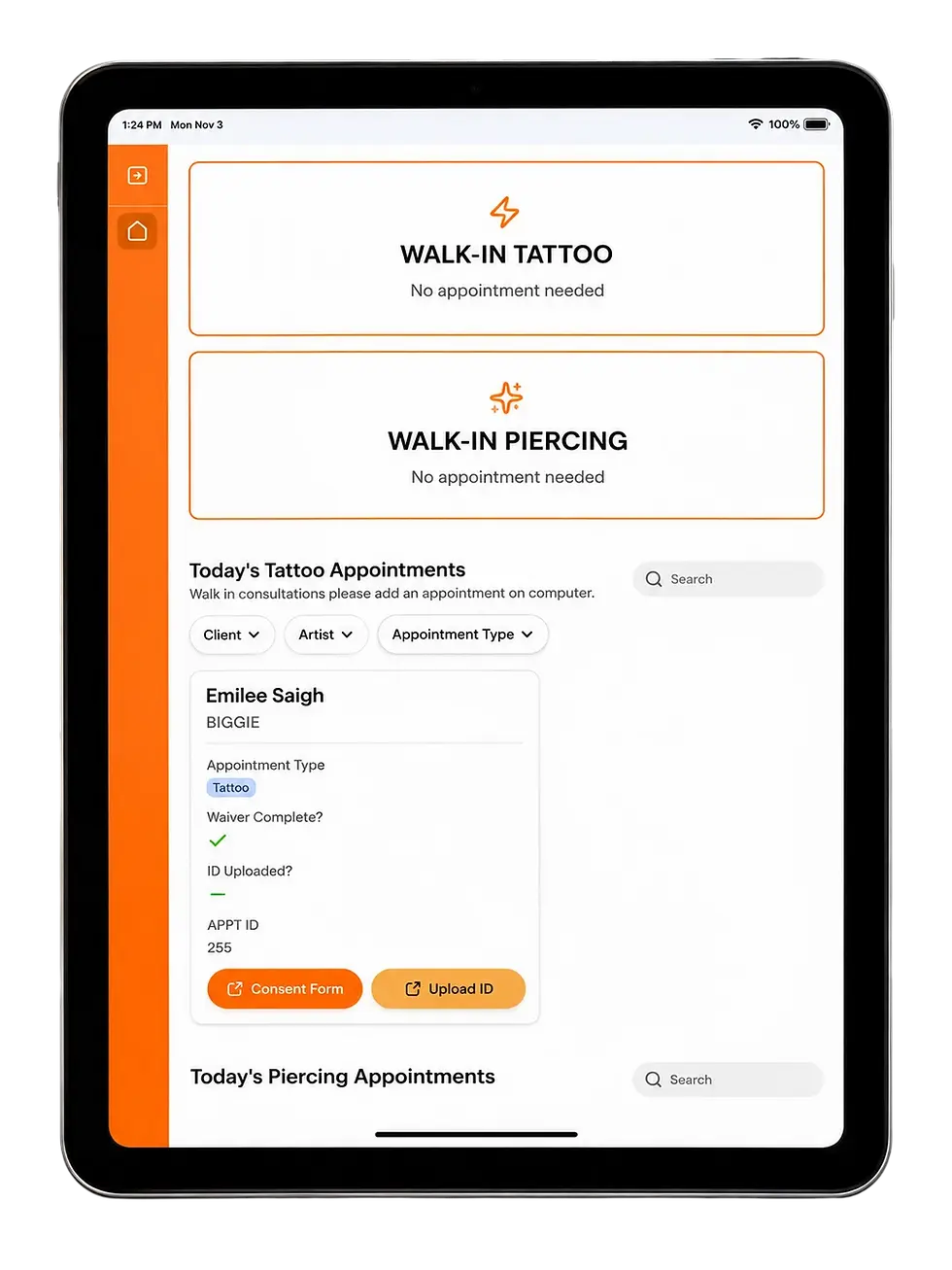
The tatDesk Front Desk App gives your receptionist everything they need to keep your studio running smoothly, all in one place.

Access complete client histories, track deposits and payments, manage appointments, and oversee artist calendars and availability. With built-in automations working behind the scenes from the initial booking request through appointment reminders, check-in, payment tracking, and follow-up, tatDesk keeps every part of your workflow connected. Less time managing administrative tasks, fewer missed details, and more time focused on your clients and your business.
Artists can book new appointments, reschedule or cancel existing bookings, and track their deposits directly within the app. With real-time access to their schedules and seamless communication with the front desk, everyone stays on the same page without unnecessary back-and-forth.

Each artist only sees their own appointments, keeping schedules and client information organized and private. Shop owners maintain control over what information and features are accessible, allowing you to customize the experience.
Manage your entire booking process from one centralized platform. tatDesk makes it easy to create new appointments, reschedule existing bookings, process cancellations, and block out artist time off to keep availability accurate and organized.

Each appointment is displayed in a clear, easy-to-read summary card with customizable information, including service pricing, estimated totals, tattoo details, internal notes, reference photos, and client contact information. From the initial booking request to the final appointment, your team has everything they need at their fingertips, making scheduling more efficient, reducing administrative work, and keeping the entire studio on the same page.
Connect tatDesk directly to your studio's existing Gmail account and automate client communication from start to finish.
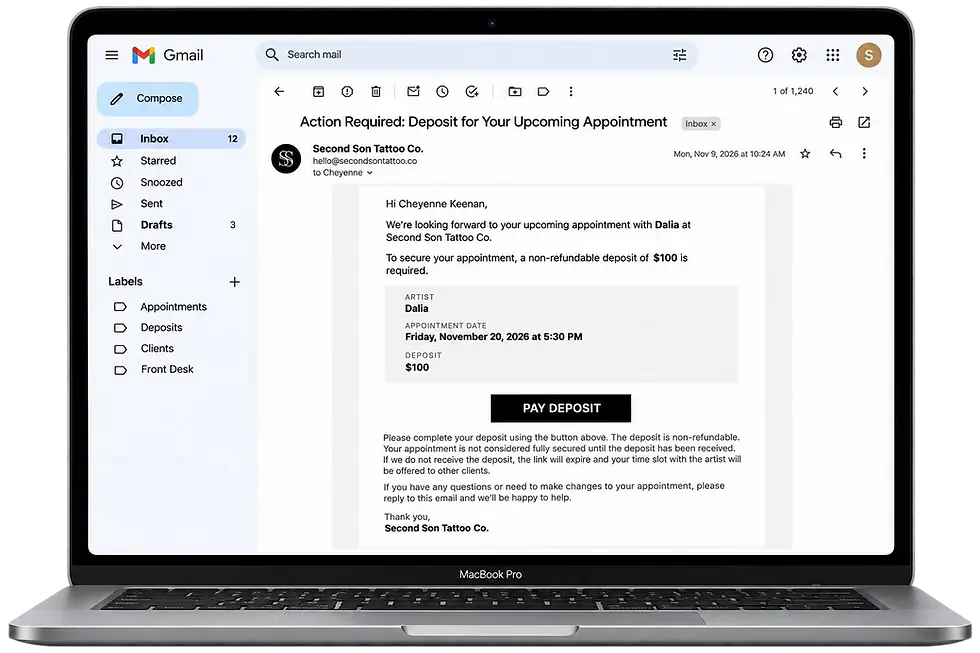
Appointment confirmations, rescheduling notifications, cancellation updates, and deposit requests are sent automatically through your own business email. Every outgoing message and incoming client response can be tracked by your front desk, giving your team a clear view of what has been sent, what needs attention, and what clients have responded to. No separate email platform or disconnected communication channels—just your existing Gmail working seamlessly with tatDesk.
tatDesk keeps your artists informed with automated notifications that keep the entire studio connected. Artists receive email updates for scheduling-related changes, including new appointments, reschedules, and cancellations. They also receive real-time text messages when a client completes check-in at the front desk, so they know when their next appointment is ready. If a client reports an allergy during check-in, the artist receives an immediate text alert, helping ensure important information is communicated before the appointment begins. Less back-and-forth, fewer missed updates, and a smoother experience for both artists and clients.


HOW IT WORKS

01
SIGN UP
Choose the plan that fits your studio, create your account, and take the first step toward a better workflow.

02
CONSULTATION
We'll schedule a virtual meeting to learn about your studio, current systems, and the features you need from tatDesk.

03
BUILD
Our team customizes your platform, configures integrations, and builds a complete system around your studio's workflow and daily operations.

04
LAUNCH
Receive your completed system, access your apps, and let us guide your team through everything needed to get started.
